
24 Hour Mechanical Timer Setup for Mushroom Growing
You come home to check your mushroom grow and find the lights running at the wrong time, the exhaust fan silent, or the humidifier cycling when it shouldn't. The timer looked correctly programmed when you left. The problem may not be your schedule at all. A 24 hour mechanical timer can keep repeating a daily program, but it can't recover intelligently from a power interruption.
That limitation matters in mushroom cultivation because light, fresh-air exchange, humidity, and heat all interact. A simple timer can provide dependable repetition when it's matched to the equipment and checked regularly. It can also create a serious failure if you treat it like a battery-backed digital controller.
Why Your Mechanical Timer Stopped Working After the Power Outage
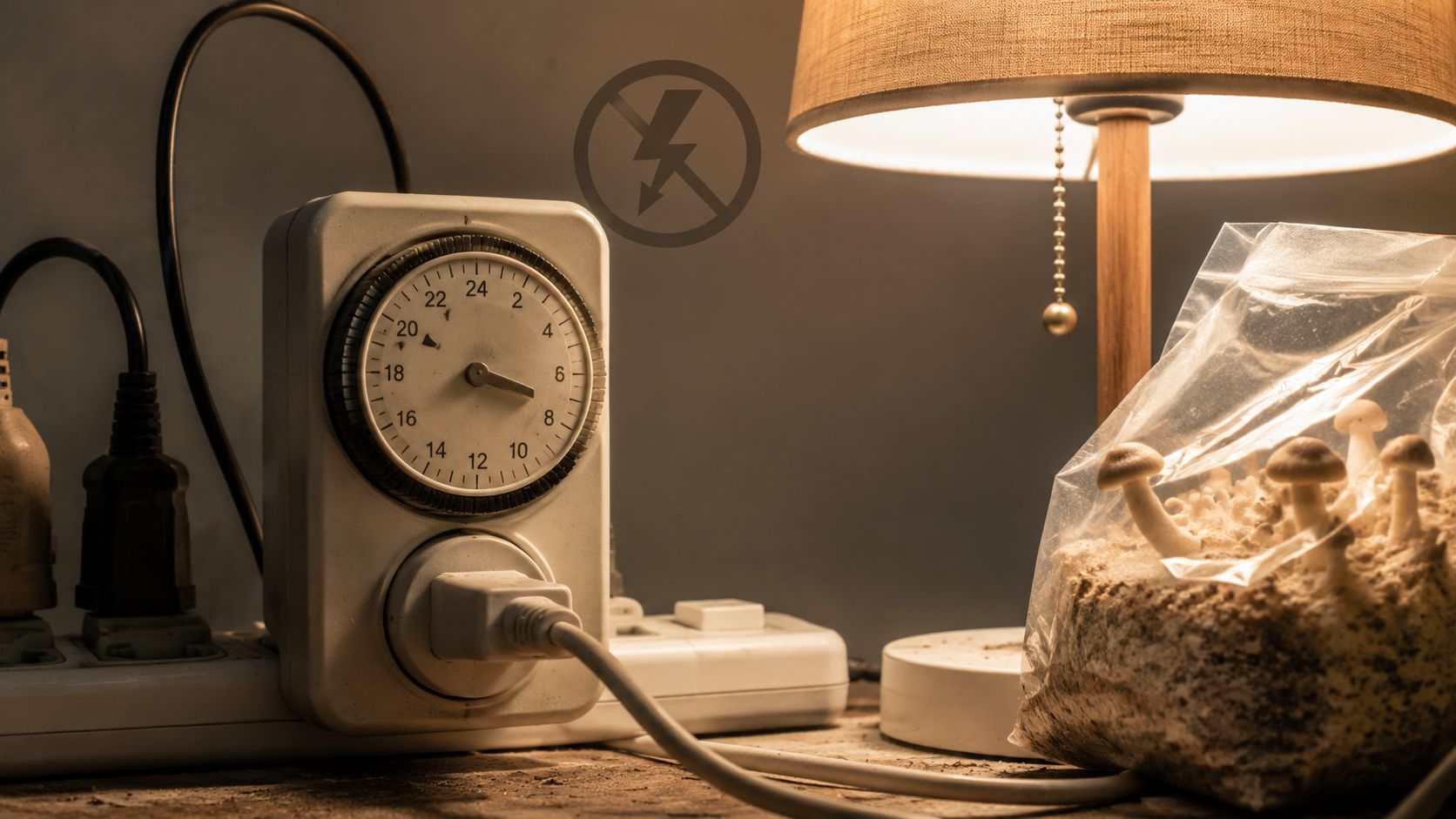
A grower often discovers the problem hours after a power flicker. The dial has stopped, the lamp is out of phase, and the ventilation cycle no longer matches the fruiting environment. A mechanical timer doesn't know that an outage occurred. Its internal motor stops advancing when power disappears, so the dial resumes from the wrong position when electricity returns.
The timer's program hasn't necessarily been erased. The issue is that the clock position is no longer synchronized with real time. Manufacturer guidance confirms that these timers repeat the same daily schedule, but the current time must be set accurately and the dial must keep advancing from electrical power. Many models retain their position for only a few hours after an interruption, so an outage can require manual re-synchronization. (Jasco's timer FAQ explains this power-loss limitation)
Signs that the schedule has drifted
Look for a mismatch between the timer's current pointer and actual clock time. If the timer says it's in the light period but your wall clock says the lights should be off, the dial needs resetting. The same warning applies when a fan starts during a planned humidity-rest period or a humidifier runs while the exhaust system is active.
The fastest recovery routine is simple:
Unplug the controlled equipment. This prevents an unexpected start while you're handling the timer.
Confirm the time. Use a dependable wall clock or phone clock.
Rotate the timer dial in the direction specified by the manufacturer until the current time aligns with the pointer.
Check every segment or pin. Make sure the intended on and off periods still match your grow plan.
Restore the equipment and observe the first switch.
Practical rule: After any outage long enough to stop the dial, treat the timer as unsynchronized until you reset it.
A short outage may not visibly damage the timer, but it can still shift the schedule. Mark the expected light and ventilation periods in your grow log, then compare them with the timer after power returns. If the dial advances unevenly, sticks, buzzes, or fails to switch a simple lamp, remove it from service rather than trusting it with a humid grow room.
Understanding Load Ratings and What Your Timer Can Handle
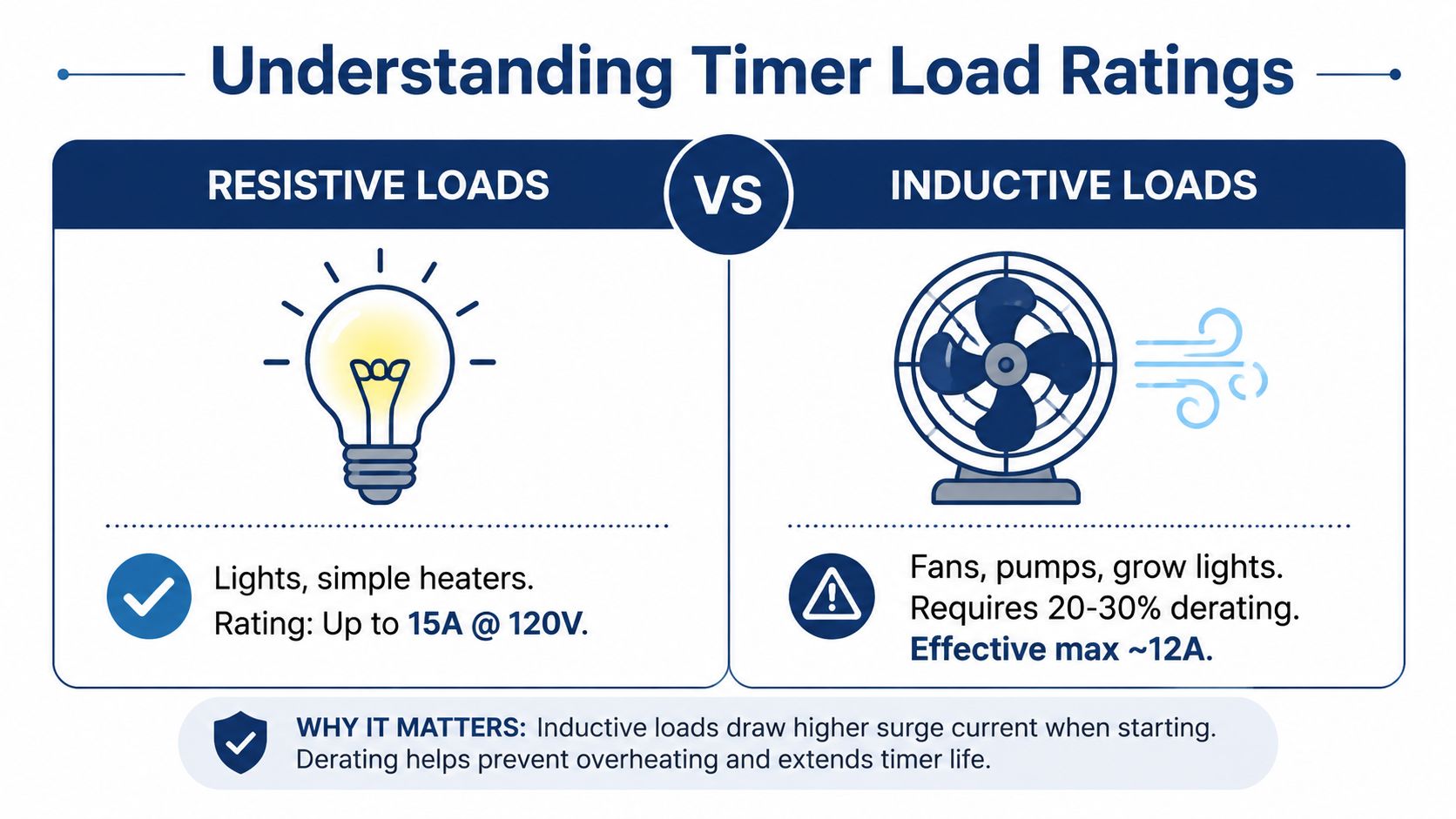
A timer can switch a heater safely while struggling with a smaller fan. The difference is the load type, not just the amp number printed on the case. Resistive equipment, such as a basic heater, draws power predictably. Inductive equipment, including fans, pumps, compressors, and motor-driven humidifiers, can demand a higher startup current and create arcing that wears timer contacts.
One independent 24-hour timer specification lists 16 A for a resistive load, a lower inductive rating, 96 switching segments per day, and a minimum 15-minute switching interval. It also lists accuracy of ±1 second per day under its stated conditions. Treat those figures as that product's specifications, not as a universal rating for every mechanical timer. See the listed modular timer specifications
Resistive and inductive loads behave differently
A heater may remain within its resistive rating, while a fan with a lower running draw can still damage the contacts during startup. Repeated cycling increases that stress. If the contacts weld closed, the equipment can keep running even when the timer dial shows the off period.
List every device before plugging anything in:
Lighting: Check whether the fixture uses an electronic driver, ballast, or motorized component.
Ventilation: Treat inline fans and exhaust blowers as inductive loads.
Humidification: Find out whether the unit contains a pump, compressor, or fan.
Heating: Confirm the heater's wattage and whether its controls suit timer switching.
Multiple devices: Add the connected loads, then compare the total with the timer's rating for that load type.
Mushroom grows often combine equipment with very different electrical behavior. A light may follow a daily fruiting schedule, while ventilation runs in shorter intervals and humidification cycles around those air exchanges. Heating may need longer, steadier operation. Switching all three from one inexpensive timer creates more contact wear and can make a humidity controller fight the exhaust fan.
For a continuous load running three or more hours, independent safety guidance recommends staying within a derated circuit capacity. On a standard 15-amp circuit, it gives a limit of 12 amps or 1,440 watts for that type of continuous use. Review the electrical safety guidance for timer loads
Do not connect a high-draw heater, humidifier, and fan to one plug-in timer merely because its package shows a large amp figure. Use a timer rated for motorized or high-inrush equipment, separate devices across suitable circuits where appropriate, or ask an electrician to install a properly rated control solution. Keep connections direct, and check the timer body and plug for heat during operation.
This guide to choosing a humidifier for mushroom growing helps match the humidifier's environmental role to a schedule before placing it on a timer.
Setting Up Your Timer for the First Time
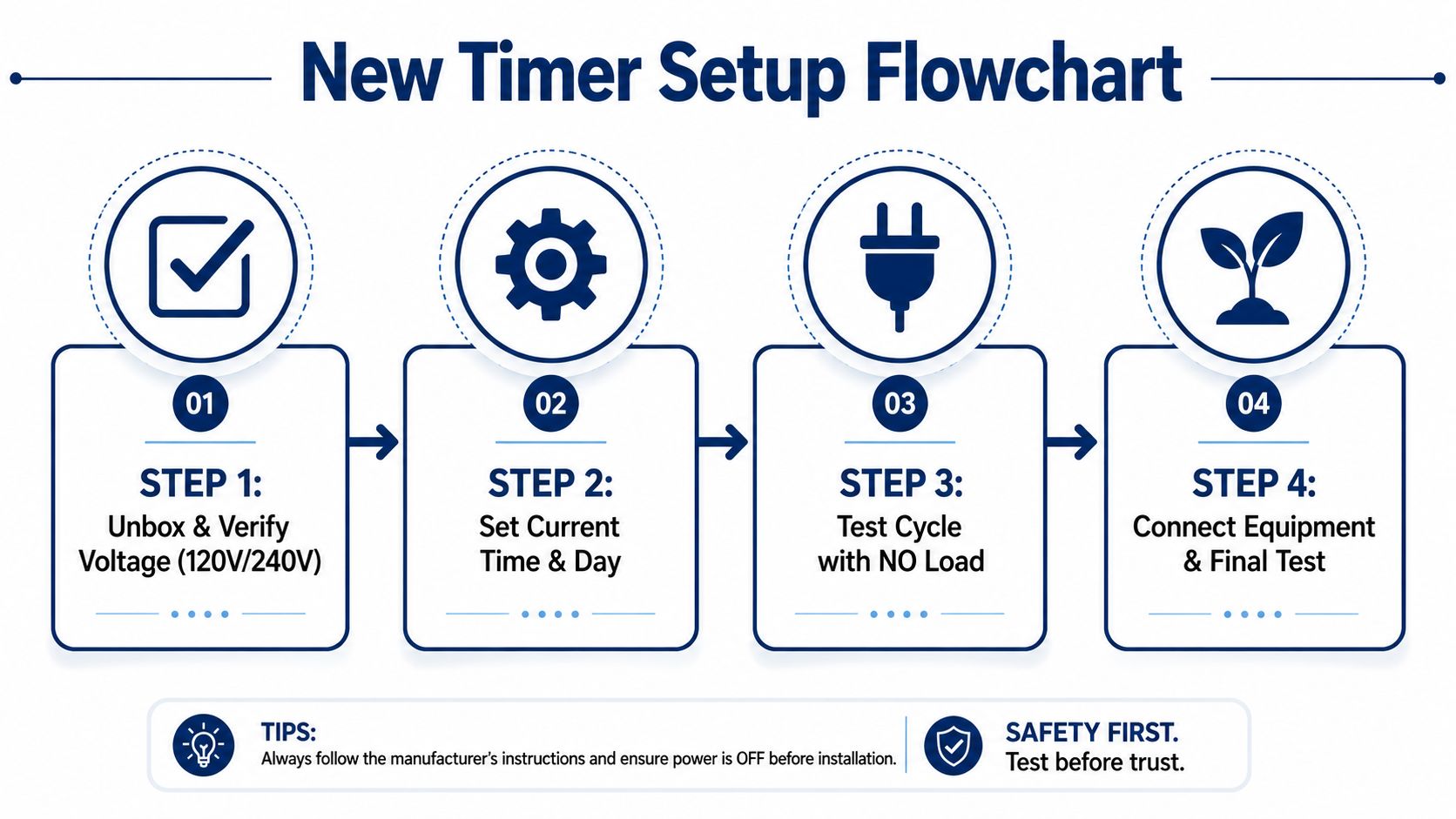
Before connecting grow equipment, run through five checks. Confirm that the timer's voltage and plug configuration match the outlet, then compare the manufacturer's contact ratings with the exact device you intend to control. A timer that turns a lamp on reliably may still be unsuitable for a fan, heater, or humidifier.
Use this setup sequence:
Inspect the timer. Reject cracked housing, bent prongs, loose segments, or damaged insulation.
Verify voltage compatibility. Match the timer to both the electrical system and the equipment label. Never assume a timer made for one voltage suits another.
Read the load table. Check separate resistive, inductive, lamp, motor, and heater ratings when the manufacturer lists them.
Set the current time. Turn the dial in the stated direction and align its pointer with the present time.
Program the segments. Mechanical segments commonly operate in 15-minute steps. A schedule needing shorter intervals will not fit that timer's control resolution.
Use manual mode first. Test the on, off, and automatic positions. The selector should move positively and match its markings.
Test before trusting the grow
Start with a simple lamp rather than a valuable culture or environmental device. Choose a short, observable switching window and watch the timer change state. A dial can advance normally while the contacts fail under the intended load, so this check alone does not prove the timer is ready for production use.
Connect the actual equipment one device at a time. Listen for the fan starting, observe the lamp, and confirm that the humidifier responds as expected. After operation under load, feel the timer housing. Unusual heat, a burnt smell, persistent buzzing, or discoloration means disconnect it and investigate before continuing.
Run the complete setup through a daily cycle before leaving it unattended. This exposes backward-set pins, voltage mismatches, and motor loads that switch unreliably. The Colorado Cultures guide to setting up a grow room can help organize lighting, air movement, and environmental equipment before those devices are placed on a timer.
Scheduling Light Cycles for Different Mushroom Species
Light timing helps establish a consistent fruiting routine, but mushrooms don't all need the same schedule. A mechanical timer works best when you use it for a simple, repeatable pattern and accept its limits. It's less useful when your plan changes daily, depends on sensor feedback, or requires different behavior during colonization and fruiting.
For many home fruiting setups, growers use a regular light period during the day and darkness at night. A 12-hour light and 12-hour dark pattern is a practical starting point for species and varieties that respond well to a conventional daily rhythm, including many Psilocybe cubensis grows. The timer's job is consistency, not biological decision-making. It won't know whether pins have formed, whether the block is dry, or whether a flush is finishing.
Oyster mushrooms often tolerate a longer light period during fruiting, particularly when the light is being used to help orient growth and make the fruiting area easier to manage. The important variables remain fresh-air exchange, surface moisture, temperature, and contamination control. Light won't compensate for stale air or a drying substrate.
Pair light with airflow deliberately
Avoid scheduling the light and exhaust fan as unrelated systems. Lights can add heat, while ventilation can reduce humidity. Running both at the same time may produce a drier fruiting environment than expected, especially in a small tent or enclosed shelf.
A workable approach is to use one timer for a consistent light window and a separate control strategy for ventilation. If the fan must run continuously or respond to humidity and carbon dioxide levels, a repeating mechanical timer may be the wrong control. If it only needs scheduled air exchanges, use the shortest switching interval the timer supports and confirm that the fan's motor rating is appropriate.
Some growers stagger devices so the environment changes gradually rather than switching everything at once. That can reduce abrupt humidity swings, but it also means more points to check. For background on the benefits of grow light timers, look for guidance that treats light timing as part of the wider grow environment rather than an isolated accessory.
During colonization, lighting usually doesn't need the same operational priority as fruiting. Keep the schedule simple, document when you change stages, and reset the mechanical timer if you alter the program. A daily dial repeats yesterday's instructions, even when your mushrooms have moved into a different phase.
Common Timer Mistakes That Ruin Mushroom Grows
The most dangerous assumption is that a timer's schedule is the main thing that matters. In practice, load compatibility, moisture exposure, and testing determine whether the schedule can control equipment safely.
Five failures to catch early
Overloading one timer. Several devices may appear modest individually but become a poor combined load, especially when fans, pumps, and humidifiers start together. The symptom is heat, buzzing, intermittent operation, or contacts that remain closed. Separate the equipment or use a control device rated for the combined load.
Using the resistive rating for motor equipment. A timer rated for a heater isn't automatically suitable for an inline fan or pump. Check the inductive or motor rating, not just the largest amp figure printed on the front.
Ignoring the grow-room environment. Humidity and condensation can corrode contacts and interfere with internal mechanics. Keep the timer outside the humid enclosure, protect it from splashes, and route cables so water can't run toward the outlet or timer.
Skipping the manual override test. If you can't reliably switch the equipment on and off manually, you can't troubleshoot the automatic program. Test the override before connecting a valuable grow.
Assuming the timer adapts to changing needs. A mechanical timer repeats one daily pattern. It won't change ventilation after pinning, adjust light for a new stage, or react to a dry substrate. Keep a written schedule and update the segments whenever the cultivation phase changes.
A timer should remove repetitive work, not remove inspection from the grow.
Extension cords create another avoidable weakness. Long or undersized cords can contribute to voltage drop and may leave motors struggling to start, while daisy-chained power strips add connection points and heat. Use the shortest suitable cable arrangement, keep plugs accessible, and never hide a warm connection behind insulation or wet material.
For broader equipment planning, even unrelated systems such as a whole house black jack system illustrate the same principle, match the control hardware to the actual operating load instead of relying on a generic timer label. In a mushroom setup, that means reading every equipment plate and checking the complete circuit path.
When to Upgrade from Mechanical to Digital or Smart Timers
A mechanical timer is a good fit when you need one repeated daily schedule, the load is modest and compatible, and you're available to reset the clock after outages. Its physical dial is easy to inspect, and it doesn't depend on an app or network connection.
Upgrade when the grow needs different schedules on different days, remote changes, outage recovery, sensor integration, or more precise switching than the mechanical segments provide. Digital timers can offer more complex programming, while smart timers may add remote monitoring and app-based control. Those features also introduce electronics, software, network dependence, and another layer of setup.
Use this decision test:
Simple daily light cycle: Mechanical control may be enough.
Several motorized devices: Verify ratings carefully or use dedicated controls.
Frequent outages: Choose a solution with suitable backup behavior.
Changing environmental stages: Consider a programmable digital system.
Remote growing location: A smart device may justify its added complexity.
Colorado Cultures also discusses an electronic outlet timer, and beginners comparing connected devices can review these setup steps for smart plugs before choosing a replacement. Select the simplest system that can safely perform the job you need.
Colorado Cultures supplies sterilized grain bags, substrates, all-in-one grow bags, grow kits, cultures, and practical equipment for home and lab mushroom cultivation. Visit Colorado Cultures to choose supplies that match your setup, get clear growing guidance, and build a timer-controlled environment without overlooking electrical safety.
Comments